This new version continues the evolution of proVconnect with several improvements designed to simplify device management, enhance Android device management, and progressively improve the overall user experience.
Simpler and Clearer Compliance Management
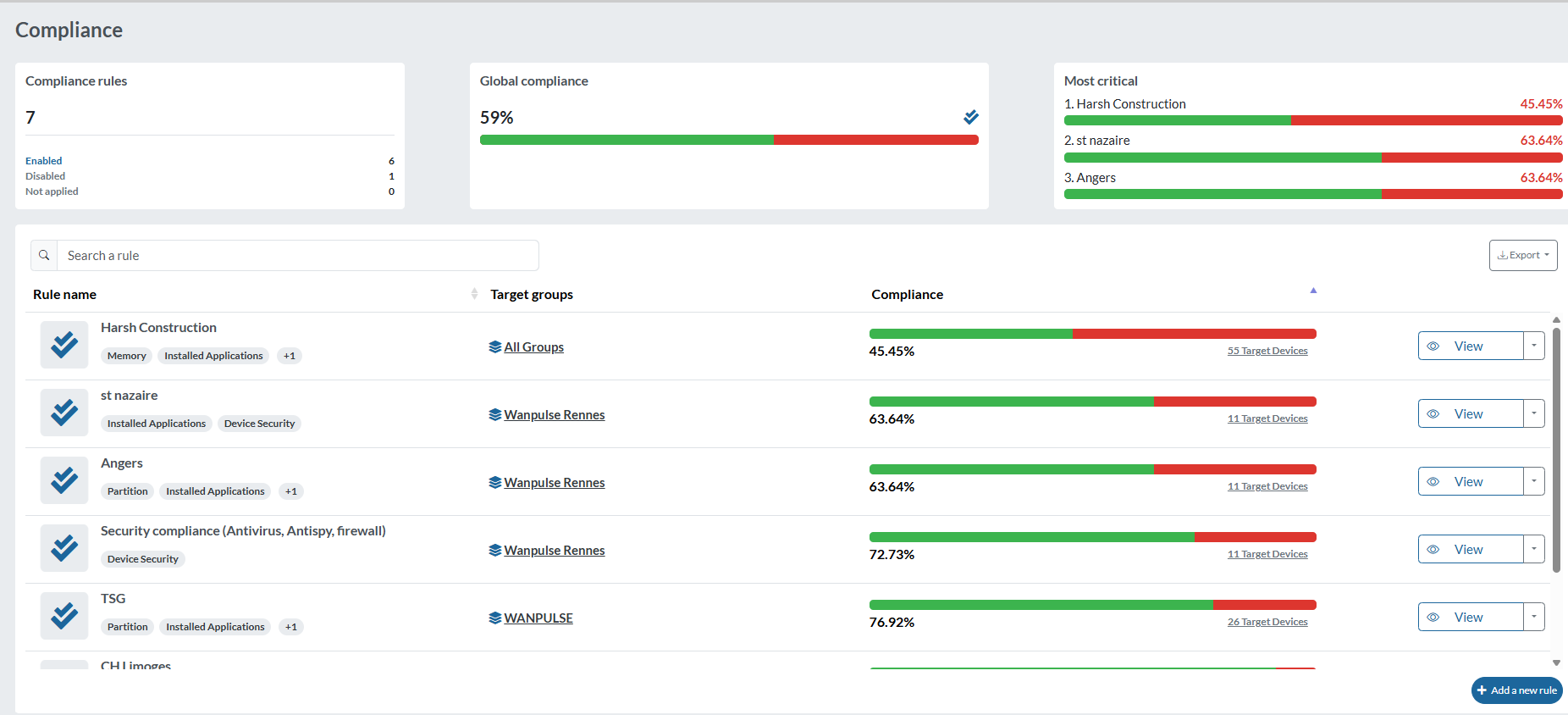
Version 2.41 introduces an updated compliance rules management interface, making it easier to configure and monitor compliance on a daily basis.
- Simplified creation and editing of compliance rules
- Enable or disable a rule on the fly, without having to delete it
- Simplified management of target groups to which each rule applies
- New summary view showing the number of active, disabled, and non-applicable rules
- At-a-glance view of the overall compliance level across your device fleet
- Identification of the most critical rules, making it easier to spot compliance levels that require attention
This new interface provides a clearer view of your device fleet’s compliance status and helps you identify the actions that need to be taken more quickly.
This evolution also marks the beginning of a broader initiative to modernize the proVconnect user interface. Future releases will progressively enhance the user experience throughout the application, with a clear objective: to make proVconnect clearer, more intuitive, and easier to use every day.
More Intuitive Customization of the Device List
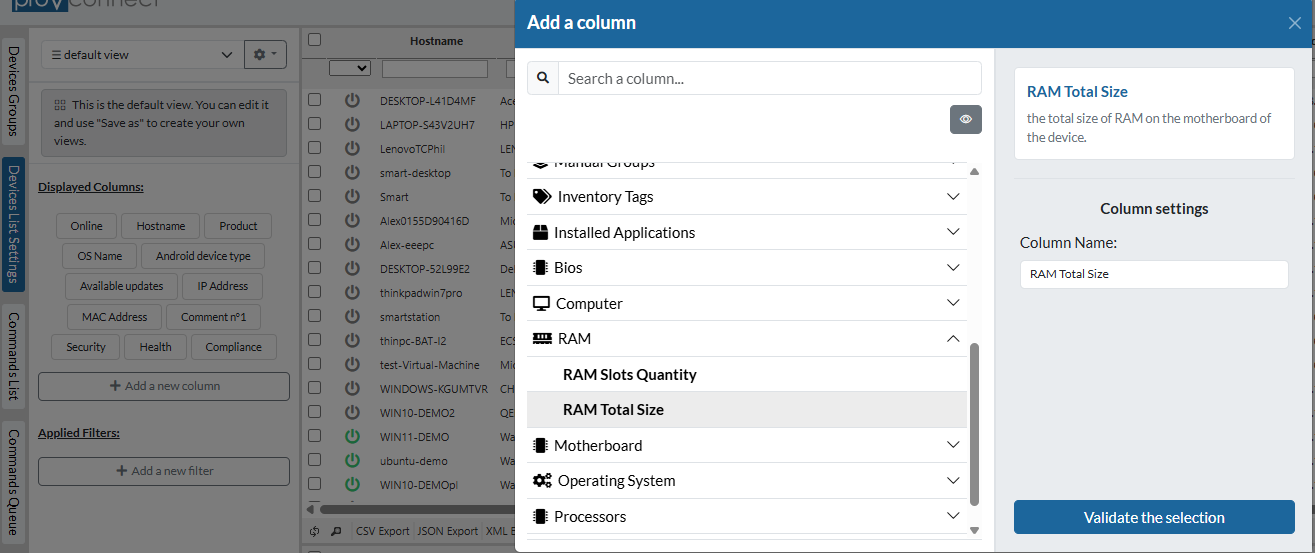
Version 2.41 introduces a new interface for adding columns and filters to the device list.
The available information is now organized into categories (operating system, RAM, BIOS, installed applications, security, etc.), and a search function makes it easy to quickly find the desired information.
This new interface makes it easier to create customized views and display the information that is truly relevant for managing and monitoring your device fleet.
Two-Factor Authentication Reset
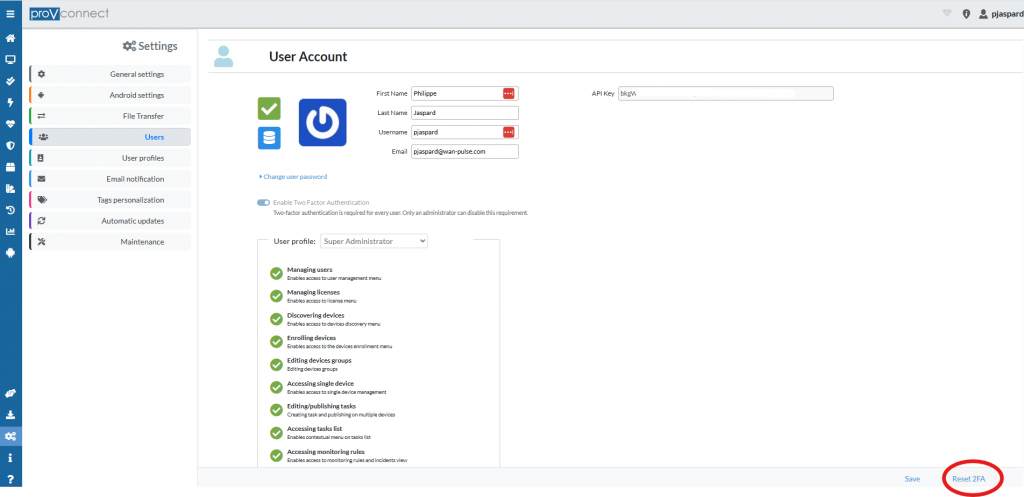
Administrators can now reset a user’s 2FA directly from their user profile. This feature makes it easy to restore access when a user has lost or changed their phone, allowing them to configure a new authentication device.
For more information about managing 2FA, please refer to the online documentation
More Control Over Script Execution
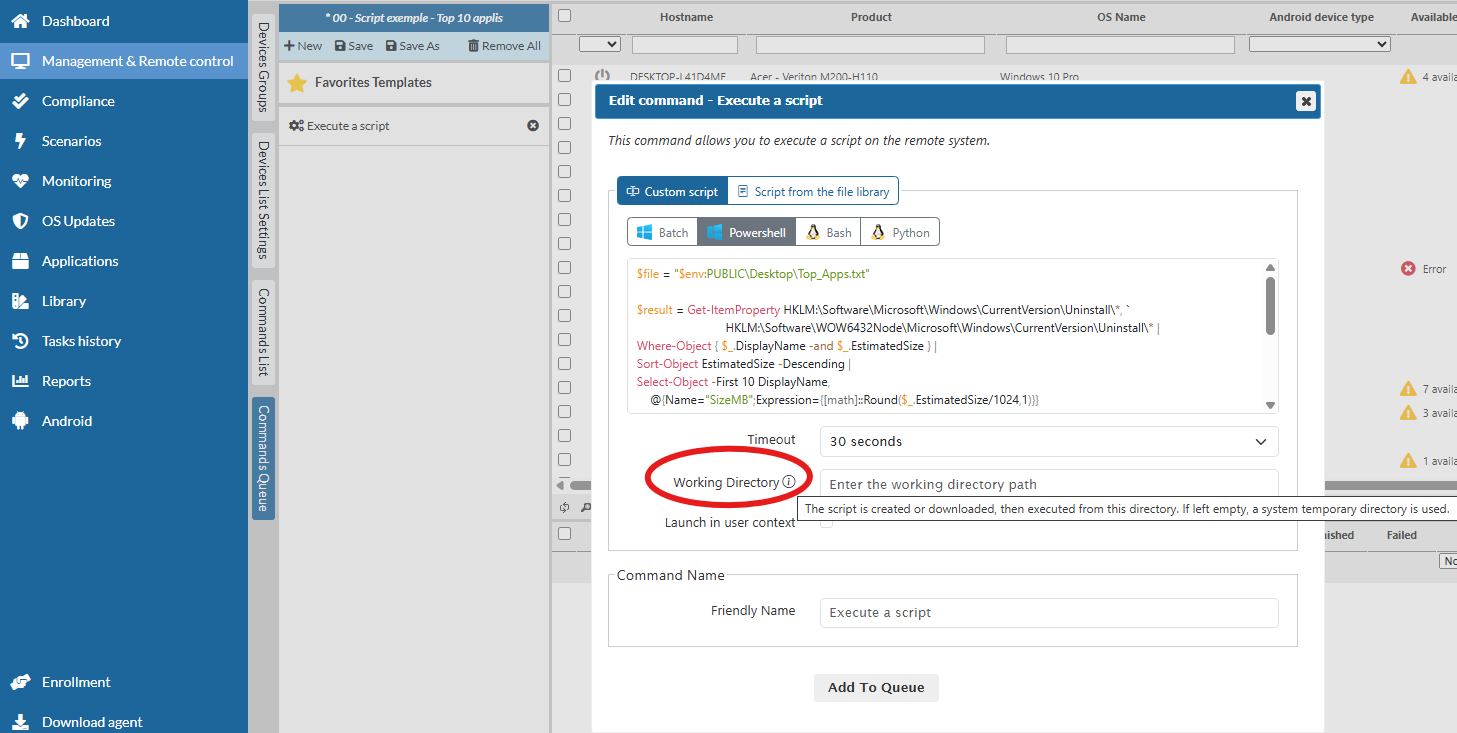
Version 2.41 now allows you to define the working directory in which a script should be executed.
When creating a command, you can specify the working directory path directly. The script is then created or downloaded and executed from that location.
If no path is specified, proVconnect continues to automatically use a temporary system directory.
This enhancement provides greater flexibility for scripts that need to be executed from a specific location on the device.
Android: Enhanced Application Control
Version 2.41 enhances proVconnect’s MDM capabilities with new options for controlling the applications available on Android devices.
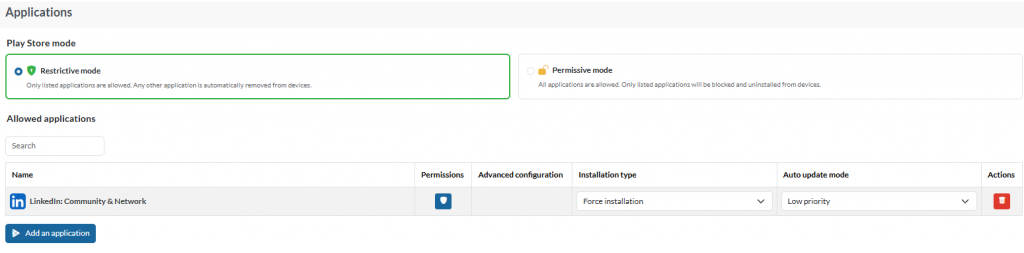
Administrators can now define how the Play Store is managed according to the desired policy:
- Restrictive mode: only explicitly authorized applications are allowed. All other applications are automatically removed from the devices.
- Permissive mode: all applications are allowed by default. Administrators can define a list of applications to be blocked and uninstalled.
For each managed application, proVconnect also allows administrators to configure deployment settings, including the installation type and automatic update mode.
This enhancement makes it possible to tailor Android application policies to the organization’s requirements, from highly controlled environments to more open configurations where only specific applications need to be restricted.
Android: New Credential Management Policy
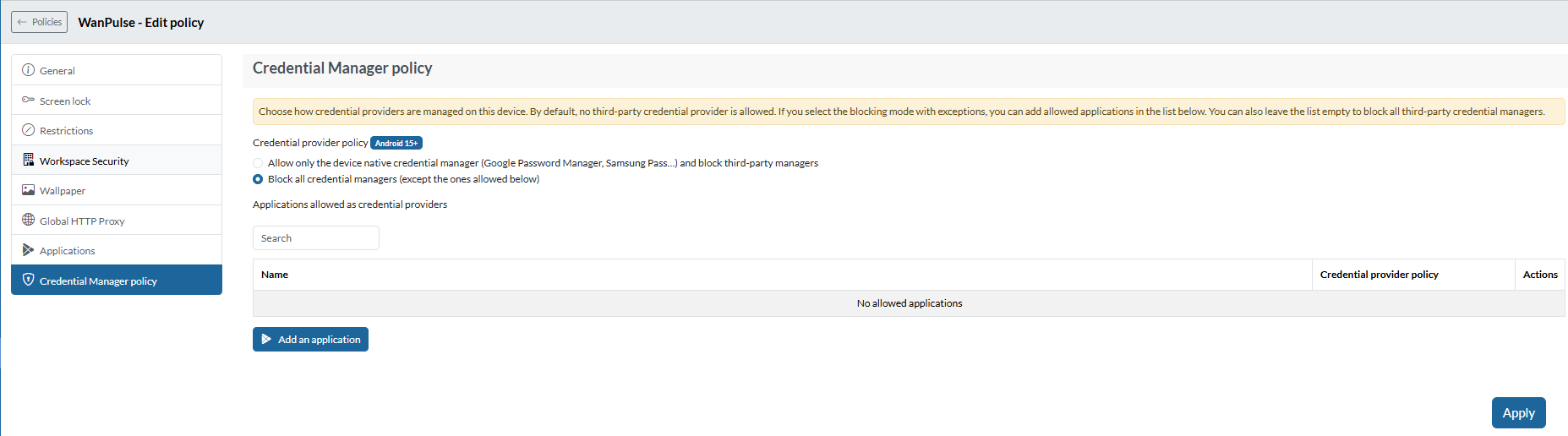
Version 2.41 enhances Android device management with a new Credential Manager policy.
This policy allows administrators to control which credential managers can be used on devices running Android 15 and later.
Administrators can:
- Allow only the device’s native credential manager, such as Google Password Manager or Samsung Pass, while blocking third-party credential managers;
- Block credential managers while defining specific exceptions;
- Individually authorize specific applications to act as credential providers.
This new policy provides more granular control over credential management and helps strengthen the management of both usage and security across Android devices.
proVconnect 2.41 is now available
For proVconnect SaaS environments, the update to version 2.41 is deployed automatically. No action is required on your side.
For On-Premise installations, version 2.41 is available for download and can be deployed to your environment.
To discover all the enhancements and fixes included in this release, please refer to the proVconnect 2.41 Release Notes.